Quick Answer:
Shopify app developers track paid ad installs using attribution workarounds and specialized tracking tools like AppDesh, SaaS Insights, App Store Analytics, Prys, App Store Pulse, etc. These tools help to preserve campaign data throughout the installation process. The right solution helps measure installs accurately, optimize ad spend, and improve ROI. In this guide, we’ll compare the 8 best Shopify app attribution tools.
Running paid campaigns for a Shopify app is only worthwhile if you know which ads are actually driving installs. Unfortunately, that’s where many developers hit a wall. The Shopify App Store installation flow, OAuth redirects, browser privacy changes, and missing UTM parameters make it difficult to connect an install back to the original ad click. As a result, Shopify app developers often end up making budget decisions based on incomplete or misleading data.
Still now, many merchants were using the most popular tracking tool HeyMantle. Unfortunately, they have already announced the they are winding down by 14 August (30 September for billing). That’s why, it’s become more curtail to find out an alternative of Mantle, that is already acceptable among Shopify app developers.
In this complete guide, I will share how Shopify app developers track paid ad installs and workarounds they use. Many Shopify app developers don’t rely on just one analytics platform. Instead, they use a combination of attribution techniques and specialized tools to accurately connect app installs with the paid campaigns that generated them.
Let’s dive into 8 best Shopify app attribution tools, explain where each one fits, and help you choose the right solution for your business.
Quick Comparison of Shopify App Attribution Tools
Before diving into each tool, let’s have a quick look on the difficulty of setting them up. Each workarounds serves a different purpose. Some are built for attribution, while others focus on analytics, reporting, or market intelligence. Use the comparison below to quickly identify which solution best fits your needs.
Feature Comparison
| Tool | Primary Purpose | Tracks paid App installs? | Shopify-specific? | Ideal for |
| AppDesh | Shopify App attribution and analytics | yes | yes | Shopify App developers. SaaS Founders, Growth Teams |
| Google Analytics 4 (GA4) | Website analytics & campaign tracking | Partial | No | Website traffic and marketing analytics |
| Big Query | Custom attribution & data warehousing | With custom implementation | No | Advanced analytics and enterprise reporting |
| Appstore Pulse | Shopify App Store market intelligence | No | Yes | Competitor research and App Store trends |
| SaaS Insights | SaaS business analytics | No | No | SaaS KPI and business performance reporting |
| Shoffi | Shopify app growth insights | No | Yes | Shopify App Store monitoring and competitor analysis |
| Prys | Product and revenue analytics | No | No | Product usage and customer behavior analysis |
| App Store Analytics | App Store performance monitoring | No | Yes | Tracking App Store visibility and performance |
Ease of Setup Comparison
| Tool | Setup complexity | Technical knowledge required |
| AppDesh | Easy | Low |
| Google Analytics 4 (GA4) | Easy | Low to Medium (depending on use case) |
| BigQuery | Advanced | High |
| App Store Pulse | Medium | Low |
| SaaS Insights | Medium | Low |
| Shoffi | Medium | Low |
| Prys | Easy | Medium |
| App Store Analytics | Easy | Medium |
#1. AppDesh – Best for Shopify App Attribution
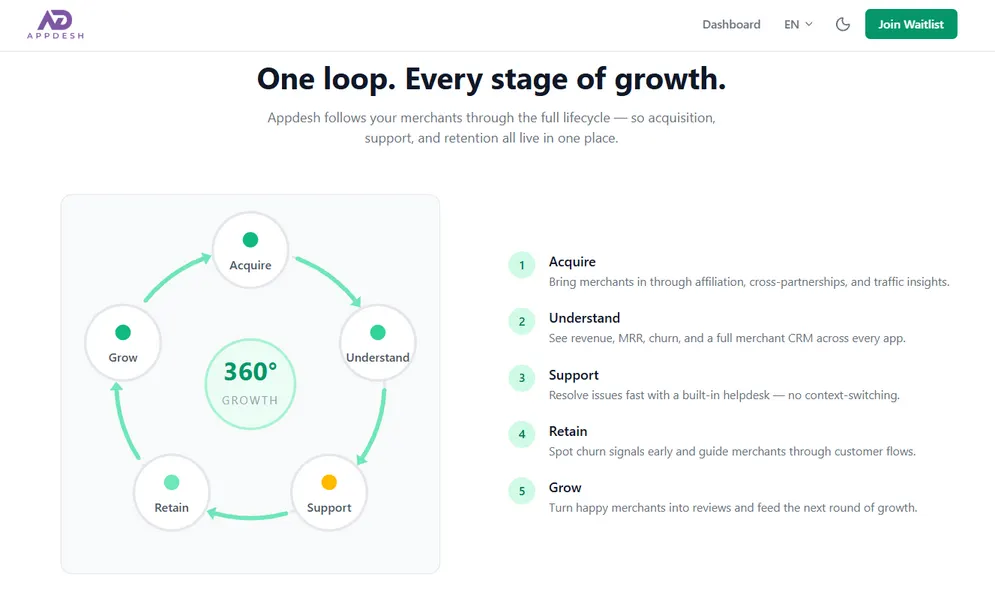
If your goal is to understand which paid campaigns actually generate Shopify app installs, AppDesh is built specifically for that purpose. Unlike general analytics platforms, it focuses on solving the attribution challenges caused by Shopify App Store redirects, OAuth authentication, and lost UTM parameters.
Instead of piecing together data from multiple platforms, AppDesh helps you preserve campaign data throughout the installation journey, making it easier to identify which ads, app store search terms, keywords, and channels drive real app installs. This allows growth teams to optimize ad spend with greater confidence.
Key Features
- Shopify app install attribution.
- Campaign and UTM tracking.
- Cross-platform paid ad attribution.
- Marketing performance dashboard.
- ROI and campaign reporting.
Pros
- Built specifically for Shopify app developers.
- Simplifies attribution without a complex setup.
- Helps optimize marketing spend with clearer install data.
- Reduces the need to combine multiple analytics tools.
- GDPR compliance data security.
Cons
- Customer support, email ticketing, and some features are still under development.
Ideal For
Shopify app developers, Shopify app founders (non-technical), and Shopify app growth marketer that want accurate paid app install attribution without building a custom tracking system.
If your primary goal is measuring which paid campaigns lead to Shopify app installs, AppDesh is one of the few solutions designed specifically for this workflow
#2. Google Analytics 4 (GA4) – Best for Website & Campaign Analytics
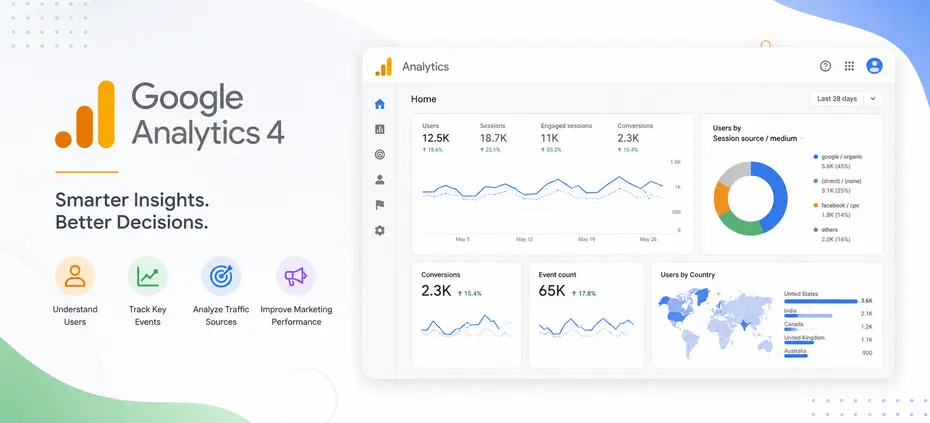
Google Analytics 4 (GA4) is one of the most widely used analytics platforms for measuring website traffic, user behavior, and marketing performance. It provides valuable insights into how users interact with your landing pages before they reach the Shopify App Store. It can perfectly track UTM source, and track app installs if you focus on content marketing for your Shopify apps.
However, GA4 alone cannot reliably attribute Shopify app installs because the App Store installation process involves redirects and OAuth authorization that often interrupt the conversion journey. Most Shopify app developers use GA4 alongside another attribution solution rather than relying on it by itself.
Key Features
- Website and landing page analytics.
- Event and conversion tracking.
- Traffic source reporting.
- Custom reports and audiences.
- Google Ads integration.
Pros
- Completely free to use.
- Powerful website and campaign insights.
- Flexible reporting and audience segmentation.
- Integrates well with Google’s advertising ecosystem.
Cons
- Doesn’t reliably track Shopify App Store installs by itself.
- Requires proper event setup and ongoing configuration.
Ideal For
Developers and marketing teams that want to analyze website traffic, campaign performance, and user behavior before app installation.
#3. BigQuery – Best for Custom Attribution & Enterprise Reporting
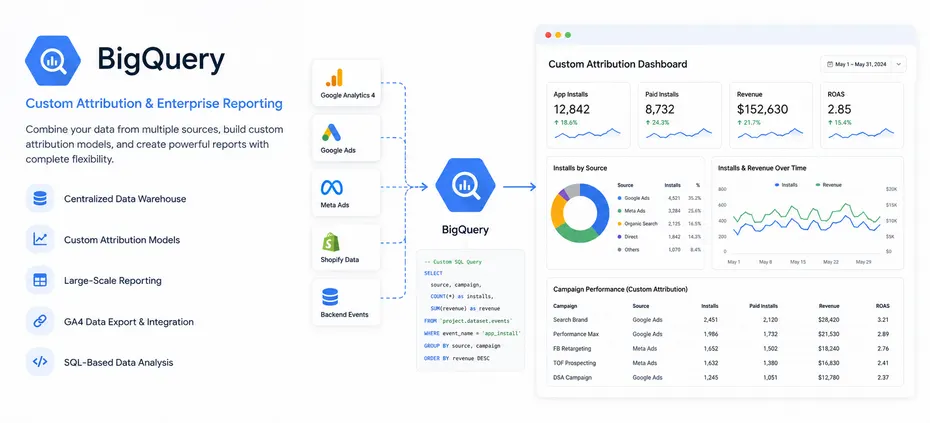
BigQuery is Google’s cloud data warehouse that gives teams complete ownership of their analytics data. Instead of relying on standard reports, developers can combine GA4 exports, ad platform data, backend events, and Shopify data to build custom attribution models.
The trade-off is complexity. BigQuery requires SQL knowledge and engineering resources, making it better suited for larger SaaS companies with dedicated data teams. For businesses that need complete flexibility, however, it’s one of the most powerful reporting solutions available.
Key Features
- Centralized data warehouse
- Custom attribution models
- Large-scale reporting
- GA4 data export and integration
- SQL-based data analysis
Pros
- Complete control over attribution data
- Handles large datasets efficiently
- Unlimited custom reporting possibilities
- Ideal for combining data from multiple sources
Cons
- Requires SQL and technical expertise
- Longer setup and maintenance compared to dedicated attribution tools
Ideal For
Growing SaaS companies and enterprise Shopify app businesses with in-house data teams that need fully customized attribution and reporting.
#4. App Store Pulse – Best for Monitoring Shopify App Store Trends
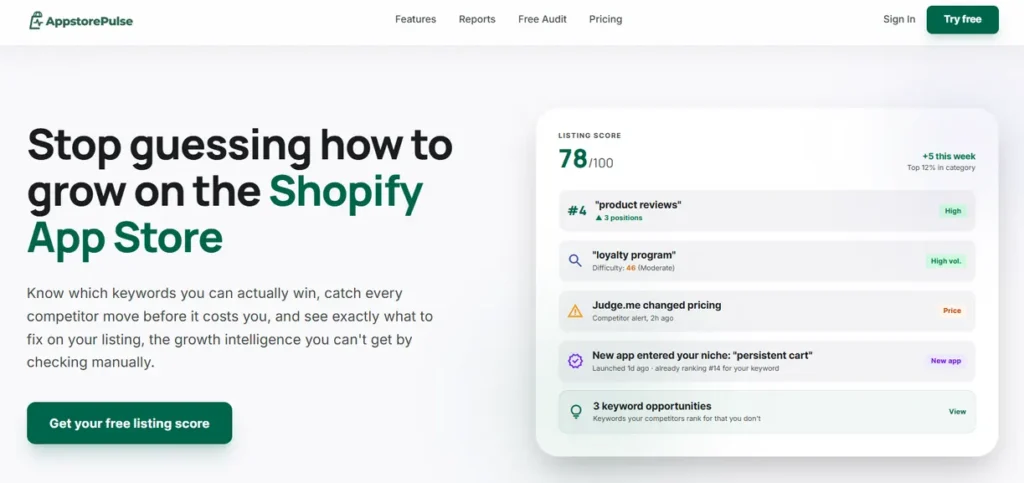
App Store Pulse is developed by the popular Shopify app developer Mat De Sausa (founder of the WideBundle). This tool focuses on Shopify App Store insights rather than attribution. It helps developers monitor Shopify app’s keyword rankings, categories, reviews, and overall market trends to better understand the competitive landscape.
Key Features
- App Store rankings
- Category insights
- Review monitoring
- Market trends
Pros
- Valuable competitive intelligence
- Easy to use
Cons
- Doesn’t track paid ad installs
- Limited attribution features
Ideal For
Developers researching competitors and App Store performance.
#5. SaaS Insights – Best for SaaS Performance Analytics
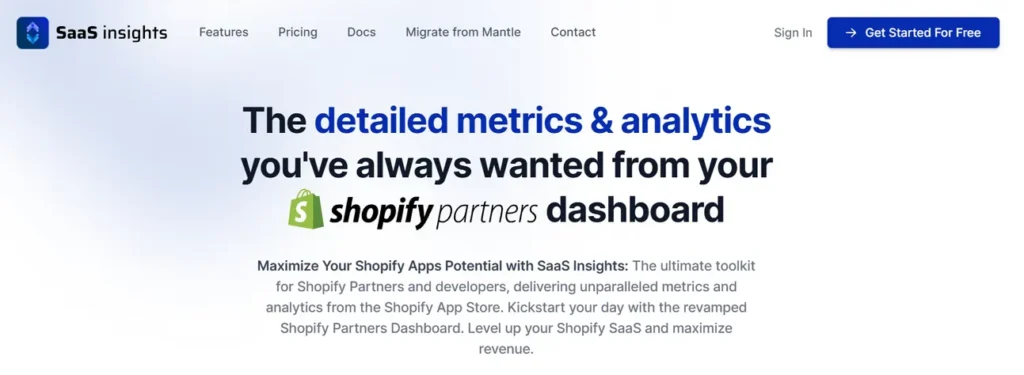
SaaS Insights provides business intelligence for SaaS companies by consolidating important growth metrics into one place. While it isn’t dedicated to Shopify attribution, it can complement your reporting stack.
Key Features
- SaaS KPI dashboards.
- Revenue reporting.
- Customer analytics.
Pros
- Centralized business metrics.
- Useful for executive reporting.
Cons
- Not built specifically for Shopify app attribution.
Ideal For
SaaS founders who want broader business analytics beyond marketing attribution.
#6. Shoffi – Best for App Store Growth Analysis
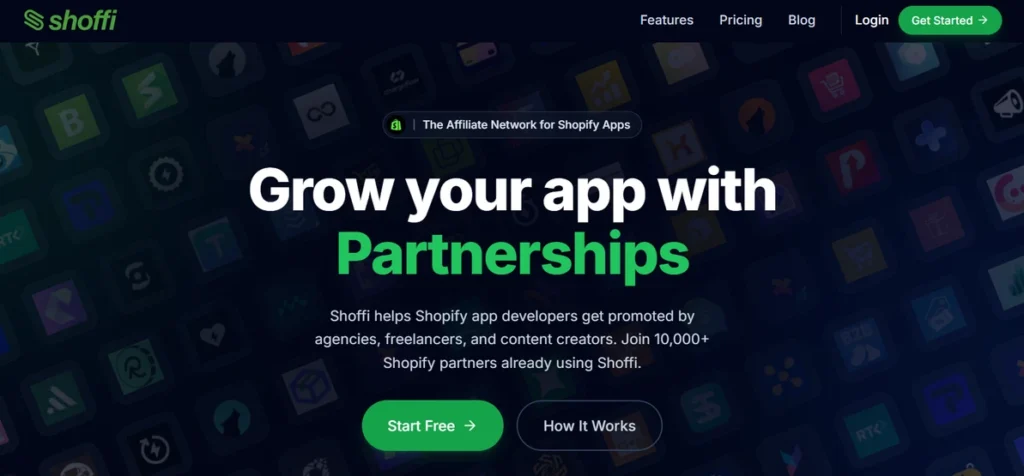
Shoffi offers insights into Shopify apps, helping developers track App Store visibility, competitors, and growth opportunities. Rather than tracking paid ad attribution, Shoffi is designed to help developers understand App Store performance and growth opportunities.
Key Features
- App discovery insights.
- Competitor tracking.
- Market analysis.
Pros
- Shopify-focused.
- Helpful competitive data.
Cons
- Doesn’t provide install attribution.
Ideal For
Developers looking to improve App Store visibility and benchmark competitors.
#7. Prys – Best for Google Ads Analytics
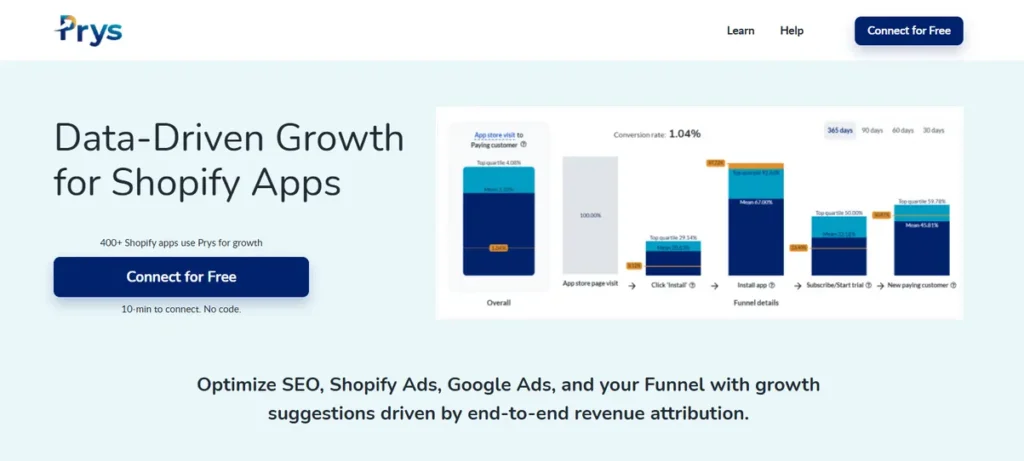
Prys helps SaaS businesses understand product usage, customer behavior, and revenue trends. Prys is especially build for Shopify app install data tracking for Google Ads. It helps teams to understand how many users come from Google, they are subscribing to paid plan or not, LTV, and funnel optimization.
Key Features
- Product analytics
- Revenue insights
- User behavior reporting
Pros
- Useful post-install analytics
- Supports product-led growth
Cons
- Doesn’t track ad-driven installs directly
Best For
Teams focused on user engagement and product performance after acquisition.
#8. App Store Analytics – Best for App Store Performance Tracking
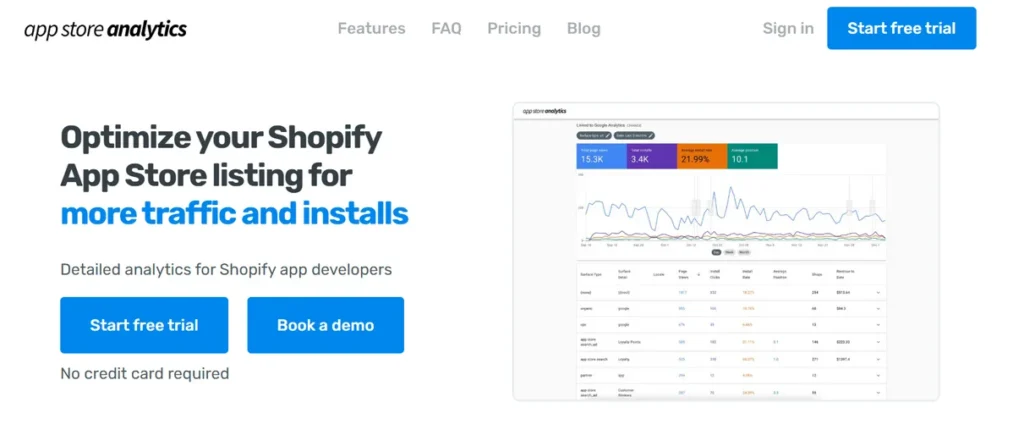
App Store Analytics provides analytics and insights for app performance, helping developers monitor trends and benchmark their apps against competitors. App Store Analytics is a simple ASO tool made for Shopify app developers. It helps you track keyword rankings, app listing performance, and competitor updates in the Shopify App Store.
You can see which keywords bring more visibility, measure how listing changes affect installs, and find new growth opportunities. With these insights, developers can improve their app listings, attract more organic traffic, and increase installs over time.
Key Features
- App performance metrics.
- Market benchmarking.
- Trend analysis.
Pros
- Easy-to-understand reporting.
- Helpful competitive insights.
Cons
- Not a dedicated Shopify app attribution solution.
Ideal For
Developers who want to track App Store performance while keeping an eye on their overall marketing results.
Which Shopify App Attribution Tool Should You Choose?
The best tool depends on your business goals, technical expertise, and reporting requirements.
- Choose AppDesh if you want a Shopify-focused solution that simplifies app install attribution and provides actionable marketing insights without building a custom tracking system.
- Choose GA4 if you need a free platform to monitor website traffic and campaign performance.
- Choose BigQuery if your team requires complete control over attribution data and has the technical resources to build custom reporting.
- Choose App Store Pulse, Shoffi, or App Store Analytics if your priority is monitoring App Store rankings, competitors, and market trends.
- Choose SaaS Insights or Prys if your main goal is to track SaaS metrics, analyze product usage, and understand customer behavior after users install your app. Explore their features to find the solution that best fits your reporting and growth goals.
If your main objective is to understand which paid campaigns actually generate Shopify app installs, AppDesh offers the most streamlined approach by reducing the need to combine multiple analytics platforms manually.
Common Shopify App Attribution Mistakes to Avoid
Even with the right tools, poor implementation can result in inaccurate attribution. Avoid these common mistakes:
- Relying only on browser-based tracking and ignoring server-side events.
- Assuming the Shopify Partner Dashboard provides complete paid ad attribution.
- Losing UTM parameters during redirects or the OAuth installation flow.
- Comparing reports from different platforms without understanding attribution windows.
- Measuring installs without tracking post-install user activation or engagement.
Test your attribution flow regularly. Click a test ad, complete an app installation, and verify that the original campaign data is preserved throughout the process.
Conclusion
No single tool can solve every Shopify app attribution challenge. The best choice depends on your budget, technical expertise, and the level of tracking accuracy you need.
Google Analytics 4 is a good option for tracking website traffic and marketing campaigns. If your team needs advanced reporting and custom attribution, BigQuery offers more flexibility. But if you’re looking for how Shopify app developers track paid ad installs without building a complex tracking system, AppDesh is a simpler, Shopify-focused solution.
As you invest more in paid advertising, accurate attribution becomes essential. It helps you identify which campaigns generate real app installs, optimize your ad spend, and improve ROI.
Want an easier way to track paid Shopify app installs? Try AppDesh to see which campaigns actually drive installs, so you can make better marketing decisions and grow your app with confidence.
FAQs
Can Shopify Track App Installs from Google Ads?
Not natively. Shopify records app installs, but it doesn’t automatically attribute them to specific Google Ads campaigns. You’ll typically need additional attribution or analytics tools to connect installs back to the original ad click.
Can GA4 Track Shopify App Store Installs?
GA4 can measure website traffic and campaign performance, but it cannot reliably track Shopify App Store installs by itself because of cross-domain redirects and the OAuth authorization flow.
What is the Best Shopify App Attribution Tool?
If you need a solution designed specifically for Shopify app developers, AppDesh is one of the best options. It simplifies attribution without requiring a complex custom implementation. For organizations with advanced data teams, BigQuery is another strong alternative.
Do I Need Server-Side Tracking for Shopify App Attribution?
Not in every case, but server-side tracking generally improves attribution accuracy by preserving conversion data even when browser-based tracking is affected by privacy restrictions or cookie limitations.
Can I Track Meta, LinkedIn, and TikTok App Install Campaigns?
Yes. With the right attribution strategy and supporting tools, you can measure app installs generated from Meta Ads, LinkedIn Ads, TikTok Ads, Google Ads, and other paid acquisition channels. The implementation varies depending on your tracking setup and reporting requirements.