Your Shopify app is not getting installed because of AI, and very high competition.
The statement is not always true.
Before blaming AI or the marketplace, have you ever audited that you have done everything perfectly or not?
Maybe not. I am not saying that there is no impact for AI or that the market is not competitive yet. The market is definitely very competitive right now. At the start of 2026, there were around 15,000 Shopify apps, in September that reached 27,280.
But at the same time, we have to fix our Shopify app listing issues alongside solving merchant’s problems to improve our app visibility.
Since 2023, I am actively working for Shopify app listing optimization that improves visibility and installs that ultimately convert to paid users.
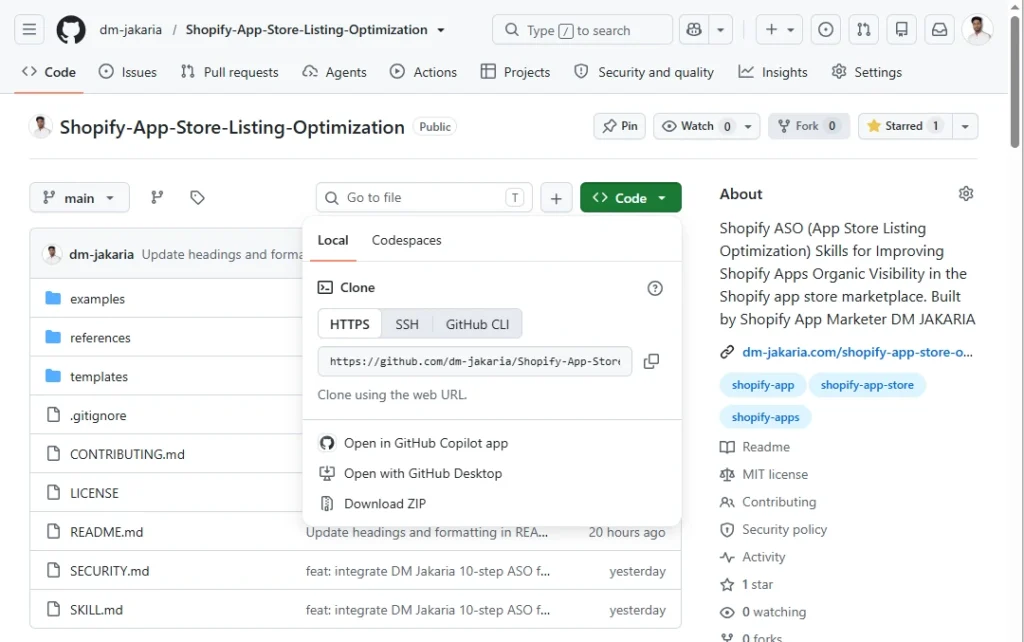
Yesterday, I made my personal Claude skill open-source on Github that is publicly available for free.
The skill helps Shopify app founders and marketers audit existing listings, research keywords, generate optimized listing copy, and improve the way their apps communicate value to merchants.
Instead of starting every optimization task from scratch, you can use Claude with a structured ASO framework, practical templates, and an audit process.
In this guide, I’ll explain what the skill does, how to set it up, and how to use it to audit and optimize your Shopify App Store listing.
What Is the Shopify App Store Optimization Skill for Claude?
The Shopify App Store Listing Optimization Skill for Claude is an open-source AI-assisted workflow designed to help Shopify app founders improve their App Store listings.
I built it around my 10-step Shopify ASO roadmap, official Shopify documentation referenced in the project, listing templates, and a structured diagnostic audit rubric.
The goal is straightforward: help you make better listing decisions without manually handling every part of the optimization process.
You can use the skill to:
- Audit your existing listing: Identify weaknesses in your app name, subtitle, description, features, keywords, and visual assets.
- Research and organize keywords: Find relevant search terms based on your app’s functionality, target merchants, and search intent.
- Generate listing copy: Create app titles, subtitles, descriptions, and feature bullets using structured copywriting instructions.
- Improve listing visuals: Plan screenshots and visual stories that explain your app’s benefits.
- Review listing compliance: Check your copy against the character limits and guidelines included in the skill’s reference materials.
- Build an optimization workflow: Turn the audit findings into prioritized improvements you can implement and measure.
The skill includes a 100-point diagnostic audit rubric, reusable listing templates, screenshot storyboarding guidance, and example audit outputs.
It supports different workflows depending on what you need: a full listing audit, keyword architecture, listing generation, or visual planning.
Important: Claude generates recommendations, not guaranteed rankings or installs. You still need to verify current Shopify requirements, validate keyword demand, and measure the actual impact of your changes.
Why I Built This Claude Skill for Shopify App Founders
Most Shopify app founders understand that the App Store is an important acquisition channel. However, many don’t have a systematic process for improving their listings.
They often make changes based on assumptions:
- Adding more keywords without understanding search intent.
- Rewriting descriptions without identifying conversion problems.
- Updating screenshots without defining what each image needs to communicate.
- Copying competitor titles without considering product differentiation.
- Changing multiple listing elements at once without tracking their individual impact.
These activities can consume time without providing clear evidence of improvement.
The bigger problem is that App Store optimization involves multiple connected elements. Keyword relevance, listing messaging, merchant trust, and conversion all influence the quality of your acquisition funnel.
For example, attracting more listing visitors is not enough if those visitors don’t understand your app’s value.
Similarly, improving your listing’s conversion rate may not produce meaningful revenue growth if the additional installs come from merchants who are unlikely to activate or subscribe.
That’s why I built this skill around a structured audit and optimization process instead of treating ASO as a simple copywriting exercise.
The idea is to help founders move from random listing edits to a repeatable process:
Audit → Identify Opportunities → Optimize → Measure → Improve
What Makes This Shopify ASO Skill Different?
There are many ways to use AI for writing marketing content. However, general-purpose AI prompts often lack the structure and Shopify-specific context required for a useful App Store optimization workflow.
This skill is designed specifically for Shopify app listings.
Here are its main differentiators.
1. A structured 10-step Shopify ASO framework
The skill uses a 10-step methodology covering important listing elements, from app naming and keyword targeting to visuals, integrations, localization, and tracking.
Instead of focusing only on titles and descriptions, the framework considers the complete listing experience.
2. A 100-point diagnostic audit
The skill includes a structured audit rubric to evaluate listing quality.
This helps turn broad observations into a more organized diagnostic process. You can use the results to identify potential weaknesses and prioritize improvements.
The score is a diagnostic aid, not an official Shopify ranking score or a prediction of future performance.
3. Reusable listing and visual templates
The repository includes templates for listing copy, screenshot storyboards, and review replies.
These resources provide a consistent starting point for creating and improving your listing assets.
4. Different workflows for different optimization tasks
You don’t always need to perform a complete audit.
The skill includes dedicated prompt recipes for:
- Audit: Diagnose an existing Shopify app listing.
- Generate: Create a listing draft based on your product and target merchants.
- ASO: Organize keywords and generate listing elements.
- Visuals: Plan a screenshot sequence that communicates your product’s value.
This modular approach makes the skill useful for both initial optimization and ongoing listing improvements.
5. An open-source resource
The project is publicly available on GitHub under the MIT License.
You can download it, adapt it for your workflow, or use it as a starting point for your own Shopify ASO processes.
[Explore the complete GitHub repository](https://github.com/dm-jakaria/Shopify-App-Store-Listing-Optimization)
Inside the 10-Step Shopify App Store Optimization Framework
The core of this Claude skill is my 10-step Shopify App Store Optimization framework. It covers the essential elements of a Shopify app listing, from keyword research and listing copy to visual optimization and performance tracking.
| Steps | Optimization area | Main objective |
| 1 | App name and subtitle | Improve keyword relevance and communicate the app’s value |
| 2 | Introduction and details | Explain the product and its benefits clearly |
| 3 | Primary and secondary categories | Improve category relevance and discoverability |
| 4 | Feature list | Present important capabilities in a benefit-focused format |
| 5 | Backend search terms | Target relevant search concepts |
| 6 | Live demo store | Help merchants evaluate the product before installation |
| 7 | Business address and website | Strengthen business credibility and provide useful information |
| 8 | Visual optimization | Communicate the product’s value through images and video |
| 9 | Integrations and support | Make compatibility and support information clear |
| 10 | Localization and tracking | Support international discovery and continuous improvement |
Each step addresses a different part of the listing experience and helps you identify opportunities to improve discoverability, communicate product value, and increase install conversion.
Want to understand the complete optimization process? I’ve covered each step in detail in my guide to Shopify App Store Optimization.
You can use that guide to understand the strategy behind each optimization area and then use my Claude skill to apply the framework to your own Shopify app listing.
However, translating your listing word for word isn’t always enough. Different markets may use different terminology and express similar problems in different ways.
After implementing changes, monitor your listing performance over time.
Track relevant metrics such as listing impressions, visits, installs, conversion rate, and the quality of acquired users.
The objective is to understand which improvements contribute to meaningful business outcomes.
Step-by-Step Setup, Audit, and Optimization of Your Shopify App Store Listing
Now let’s put the skill into practice.
You can use it with Claude.ai Projects or Claude Code, depending on your preferred workflow.
For most Shopify app founders and marketers who want to audit listing copy without working in a development environment, Claude.ai Projects is a straightforward starting point.
Step 1: Open the GitHub repository
Start by visiting the public repository:
[Shopify App Store Listing Optimization Skill for Claude]
The repository contains the main skill instructions, supporting references, templates, and examples.
Review the README first to understand the available workflows and the files you’ll need.
Step 2: Set up the skill in Claude.ai Projects
- Open Claude.ai or you can use Claude desktop and create a new Project.
- Give it a clear name, such as Shopify App Listing Optimization.
Next, download the repository files or open the relevant files directly on GitHub.
For the Project-based setup described in the repository:
- Upload `SKILL.md` to your Claude Project’s knowledge section.
- Add the files inside the `references/` directory.
- Copy the contents of `SKILL.md` into the Project’s custom instructions.
- Save your Project.
Or you can provide the Github link to your Claude and ask to download the Shopify ASO skill.
The reference files provide additional context for the audit framework, listing guidelines, ranking-related concepts, and other optimization tasks.
Check that the relevant files have been added before starting your audit.
Step 3: Prepare your current Shopify app listing
Before asking Claude to audit your listing, collect the information it needs.
You should prepare:
- App name
- Subtitle
- Introduction
- Detailed description
- Feature list
- Primary and secondary categories
- Pricing plans
- Main product features
- Target merchant profile
- Key product differentiators
- Relevant integrations
You can copy the information from your existing Shopify App Store listing or your internal product documentation. Or you can provide your Shopify app listing public URL to Claude and ask to audit it.
For a more useful audit, also provide information about your ideal merchants, the problems your app solves, and the competitors you consider most relevant.
The more accurate your product context, the more useful Claude’s recommendations are likely to be.
Step 4: Run the initial Shopify ASO audit
Once the Project is ready and your listing information is available, start with the audit workflow.
Use the following prompt as a starting point.
Audit my Shopify App Store listing using DM Jakaria’s 10-step Shopify ASO framework and 100-point diagnostic rubric. Evaluate the app name, subtitle, introduction, description, feature list, categories, keyword targeting, visual assets, and overall listing clarity. Identify the most critical weaknesses, explain their potential impact on organic visibility and install conversion, and prioritize recommendations by expected business impact and implementation priority. Clearly distinguish evidence-based issues from assumptions, and identify any additional information you need before making a reliable recommendation. Here is my current Shopify App Store listing: [Paste your listing here.]
Claude can use the framework and your provided information to produce a structured audit.
Review the findings carefully. An audit score is useful for organizing work, but the score alone doesn’t tell you how much additional traffic or revenue an optimization will generate.
Step 5: Research and prioritize your keywords
After the initial audit, focus on keyword relevance.
Start by identifying the main jobs your app helps merchants accomplish.
For example, an order tracking app might serve merchants searching for:
- Order tracking
- Shipment tracking
- Delivery notifications
- Estimated delivery dates
- Branded tracking pages
Remember that these are starting ideas, not validated keyword opportunities.
Use Claude to organize keyword concepts by search intent, relevance, and the product features they represent.
Prompt:
Conduct a Shopify App Store keyword analysis for my app. My app helps [target merchant] solve [main problem], with the following core features: [list the main features]. Identify and organize relevant keyword concepts by search intent, product relevance, and potential use across my App Store listing. Based on the analysis, recommend potential app name and subtitle combinations, backend search-term opportunities, and areas where the listing can improve keyword relevance. Clearly separate validated search demand from keyword hypotheses, assumptions, and recommendations. Do not invent search volumes, search data, ranking potential, or competitive insights that cannot be supported by evidence.
Step 6: Generate an optimized listing draft
Once you’ve reviewed your audit and keyword research, move to listing generation.
The goal is not to insert every relevant keyword into your listing. It’s to create a clear, persuasive message that helps the right merchants understand your app.
Prompt:
Generate an optimized Shopify App Store listing using the approved keyword strategy and verified product information provided. Create multiple app name and subtitle options, followed by a compelling introduction, detailed description, five benefit-focused feature bullets, and relevant backend search-term suggestions. Prioritize merchant clarity, search relevance, product differentiation, persuasive value communication, and natural keyword placement rather than keyword stuffing. Validate each element against the current applicable Shopify character limits and flag any unsupported, exaggerated, or unverifiable product claims. Finally, recommend the strongest overall version and explain the strategic reasoning behind the selected positioning, messaging, keyword placement, and conversion approach. Do not invent product capabilities, performance results, search data, or claims that are not supported by the information provided.
Review the resulting copy against your actual product capabilities.
Before publishing, verify the latest Shopify requirements in your Partner Dashboard and official documentation. Character limits and platform rules can change, so don’t rely solely on the skill’s reference materials.
Step 7: Plan your listing screenshots and visuals
Your listing copy explains your app’s value. Your visuals should make that value easier to understand.
Use the visual workflow to create a screenshot storyboard.
Prompt:
Create a four-frame Shopify App Store screenshot storyboard based on the verified product information provided. The target merchant is [describe your ideal customer], the primary problem the app solves is [describe the problem], and the key differentiators are [list differentiators]. Structure the storyboard around **Problem → Feature → Solution → Result**. For each frame, define the core message, the specific product interface or visual element to display, a concise overlay caption, the primary merchant benefit, and key readability or design considerations. Ensure the sequence tells a clear visual story and communicates the app’s value quickly. Use only verified product functionality and evidence-based benefits; do not invent features, results, performance claims, or capabilities that are not supported by the information provided.
Use the storyboard as a creative brief for your design process.
Where possible, use actual product screenshots and evidence-based benefits instead of generic illustrations or unsupported claims.
Step 8: Prioritize and implement the recommendations
An audit may identify more problems than your team can fix immediately.
Don’t try to change everything at once.
Prioritize recommendations using three practical criteria:
- Business impact: How strongly could this issue affect qualified installs or conversion?
- Evidence: How confident are you that the problem exists?
- Implementation effort: How much time or development work is required?
Start with issues that have strong evidence, meaningful potential impact, and relatively low implementation effort.
For example, correcting an unclear subtitle may be easier to test than rebuilding an entire screenshot set.
Document your current listing before publishing changes. This gives you a reference point for future comparisons.
Step 9: Measure the results
Optimization isn’t complete when you publish a new listing.
You need to understand whether the changes improved performance.
Track the metrics most relevant to your acquisition funnel:
| Metric | What it helps you understand |
| App Store impressions | How often your listing is being shown |
| Listing visits | How much traffic reaches your listing |
| Install conversion rate | How effectively your listing turns visits into installs |
| Organic installs | How many installs come from organic discovery |
| Activation rate | How many acquired users reach a meaningful product milestone |
| Install-to-paid conversion | How effectively installs turn into paying customers |
| MRR by acquisition source | How much recurring revenue your acquisition activity generates |
Use the reporting available in your Shopify Partner Dashboard and your own product analytics.
When you test listing changes, establish a baseline and document the dates and elements you changed.
Avoid attributing every performance fluctuation to a single edit. Seasonality, search demand, competitor activity, and changes in acquisition quality can all affect results.
Step 10: Repeat the audit and improve your listing
Shopify ASO is an ongoing process.
Your competitors may change their positioning, merchants may adopt new search terminology, and your product may introduce new features.
Schedule periodic listing reviews to identify new opportunities and catch outdated information.
You can also use Claude to compare your previous audit findings with your latest performance data.
Prompt:
Review my previous Shopify App Store audit alongside the latest performance data. Identify implemented recommendations, unresolved issues, and newly emerging opportunities. Compare the audit recommendations against current performance to determine what worked, what didn’t, and what still needs attention. Prioritize the next optimization actions based on their potential impact on organic discovery, install conversion, and paid customer acquisition. Clearly distinguish data-backed findings from assumptions or conclusions that cannot be supported by the available data. End with a prioritized action plan: what to fix first, why it matters, and the expected growth impact.
This creates a more disciplined optimization process and helps prevent your listing strategy from becoming a collection of disconnected edits.
Claude.ai Projects vs. Claude Code: Which Setup Should You Choose?
The GitHub repository supports more than one way to use the skill.
Your best option depends on how you prefer to work.
| Setup | Best for | How it works |
| Claude.ai Projects | Founders, marketers, and product teams | Upload the skill and reference files to a Project and use prompts to perform audits and generate recommendations |
| Claude Code | Developers and technical teams | Clone the repository and use Claude Code with the skill files in your project workspace |
| GitHub ZIP download | Offline use and private team workflows | Download the repository files and adapt them to your preferred environment |
If you’re primarily working on listing copy, keyword research, and visual planning, Claude.ai Projects is a practical starting point.
If you’re comfortable with command-line tools and want to work with files directly in your development environment, Claude Code may fit your workflow better.
Choose the setup that makes it easiest for your team to review, implement, and measure the recommendations.
Who Should Use This Shopify App Store Optimization Skill?
This skill is designed for people who want a more structured way to work on Shopify ASO.
It can be particularly useful for:
Shopify app founders
If you’re managing your own marketing, the skill can help you identify listing weaknesses and prepare optimization drafts without starting from a blank page.
Shopify app marketers
If you manage multiple apps or handle recurring ASO tasks, the framework and templates can help standardize your audit and content workflows.
Product marketing teams
If you’re responsible for positioning and product messaging, the skill can help connect product functionality with merchant benefits and search intent.
Shopify app developers
If you’re building an app and want to understand how merchants evaluate competing products, the framework can help you review listing clarity, product differentiation, and the overall presentation of your app.
However, the skill isn’t a replacement for reliable keyword research, real merchant feedback, product analytics, or experienced marketing judgment.
Its value comes from helping you organize the work and accelerate the process of developing and reviewing recommendations.
What This Skill Cannot Do
It’s important to understand the limitations of AI-assisted ASO.
The skill can analyze information you provide, apply a structured framework, and generate optimization recommendations. But it cannot independently guarantee that those recommendations will improve your app’s rankings or revenue.
There are several important limitations.
- It doesn’t guarantee Shopify App Store rankings.
- It doesn’t automatically validate keyword demand.
- It doesn’t replace real conversion experiments.
- It doesn’t automatically update your Shopify listing.
- It doesn’t replace product quality or retention.
A better listing may help attract merchants, but the product still needs to deliver value. Poor onboarding, weak activation, and high churn can undermine the business impact of additional installs.
Think of this skill as an AI-assisted ASO workflow, not an autonomous growth system.
Final Thoughts: Turn Shopify ASO Into a Repeatable Growth Process
Shopify App Store optimization is more than adding keywords to your app title or rewriting a description.
It’s about helping the right merchants discover your product, understand its value, trust your solution, and take the next step.
The Shopify App Store Listing Optimization Skill for Claude is my attempt to make that process more structured and accessible.
It brings together a 10-step ASO roadmap, a diagnostic audit rubric, reusable templates, and practical workflows for auditing, writing, and improving Shopify app listings.
You can use it to identify listing weaknesses, generate better copy, plan your visuals, and organize your next optimization tasks.
But remember that a better listing is only one part of your acquisition funnel.
If your app receives more installs but struggles to convert users into paying customers, you may have a problem that listing optimization alone cannot solve.
The real objective is to connect App Store visibility with qualified installs, activation, paid conversion, and sustainable recurring revenue.
Ready to audit your listing?
Is Your Shopify App Growth Stuck?
If your app already has traction but acquisition or conversion has plateaued, let’s identify what’s holding it back.
Frequently Asked Questions
1. Is the Shopify App Store Optimization Skill for Claude free?
Yes. The skill is publicly available on GitHub under the MIT License. You can access the repository, download its files, and adapt the resources for your own workflow. Your access to Claude and any applicable usage limits are separate from the repository license.
2. Do I need coding experience to use this Claude skill?
No coding experience is required for the Claude.ai Projects setup described in the repository. You can upload the skill files, configure the Project, and use prompts to audit or optimize your listing. Claude Code is an alternative for users who prefer a command-line workflow.
3. Can Claude optimize my Shopify App Store listing automatically?
The skill can generate audit findings, keyword suggestions, listing copy, and visual recommendations. However, you need to review the output and implement approved changes yourself. The skill doesn’t automatically publish listing changes to Shopify.
4. Can I use this skill for a newly launched Shopify app?
Yes. You can use it to review a new listing before launch and prepare your initial copy and visuals. However, without historical performance data, some recommendations will be based on product information, market research, and hypotheses rather than observed listing performance.
5. Does this skill guarantee better Shopify App Store rankings?
No. The skill helps you apply a structured optimization framework, but it cannot guarantee rankings, installs, or revenue. Search performance depends on multiple factors, including relevance, competition, merchant experience, and changes in the marketplace.
6. What’s the difference between Shopify ASO and Shopify SEO?
Shopify App Store Optimization focuses on improving how merchants discover and evaluate apps within the Shopify App Store. Shopify SEO generally refers to improving visibility through search engines such as Google. Both can contribute to app acquisition, but they involve different search environments, optimization opportunities, and performance measurements.